The WzapAI product

Your business tools.
One company workspace.

See how your team can organise knowledge, configure assistants and manage lead follow-up. Explore the current product and its availability.

Product preview. The foundations below are implemented or in controlled preview; customer sign-in, live messaging and live AI are not enabled.
01

Conversation context

Bring company conversations and message history into one shared view. Help your team pick up the context before taking the next step.

Read-only preview
See scope and availability
  • Conversation and message history within your company
  • Access for owners, managers and agents
  • Replies, live intake and human takeover still require later activation

Illustrative workflow · not a live connection

Keep the question and context together.

Could someone help with our service requirements?

Inspect conversation history before deciding the next step. Live intake and replies remain unavailable.
02

Company knowledge

Turn service details, FAQs and documents into an organised source of approved company information for your team and future assistants.

Knowledge preview
See scope and availability
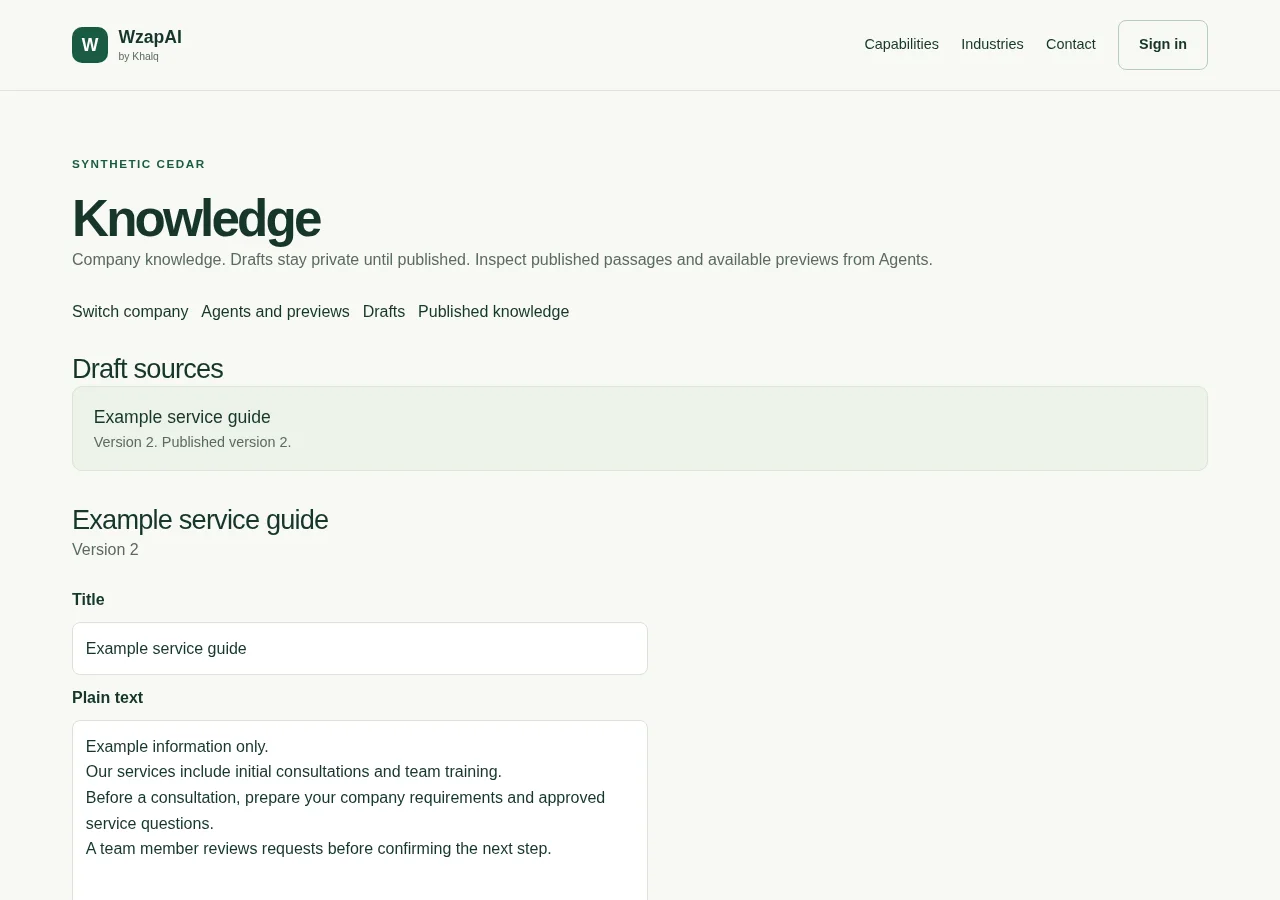
  • Owners and managers create, edit and publish knowledge
  • Import workflows for TXT, Markdown, text-based PDFs and individual webpages
  • Only published knowledge is used for retrieval; live AI setup and validation remain pending
Actual knowledge screen showing an example published service guide and its editable draft
Actual development screen · synthetic data
03

Leads & pipeline

Track manual leads from New to Qualified, Won or Lost. Keep requirements and assigned responsibility close to the opportunity.

CRM preview
See scope and availability
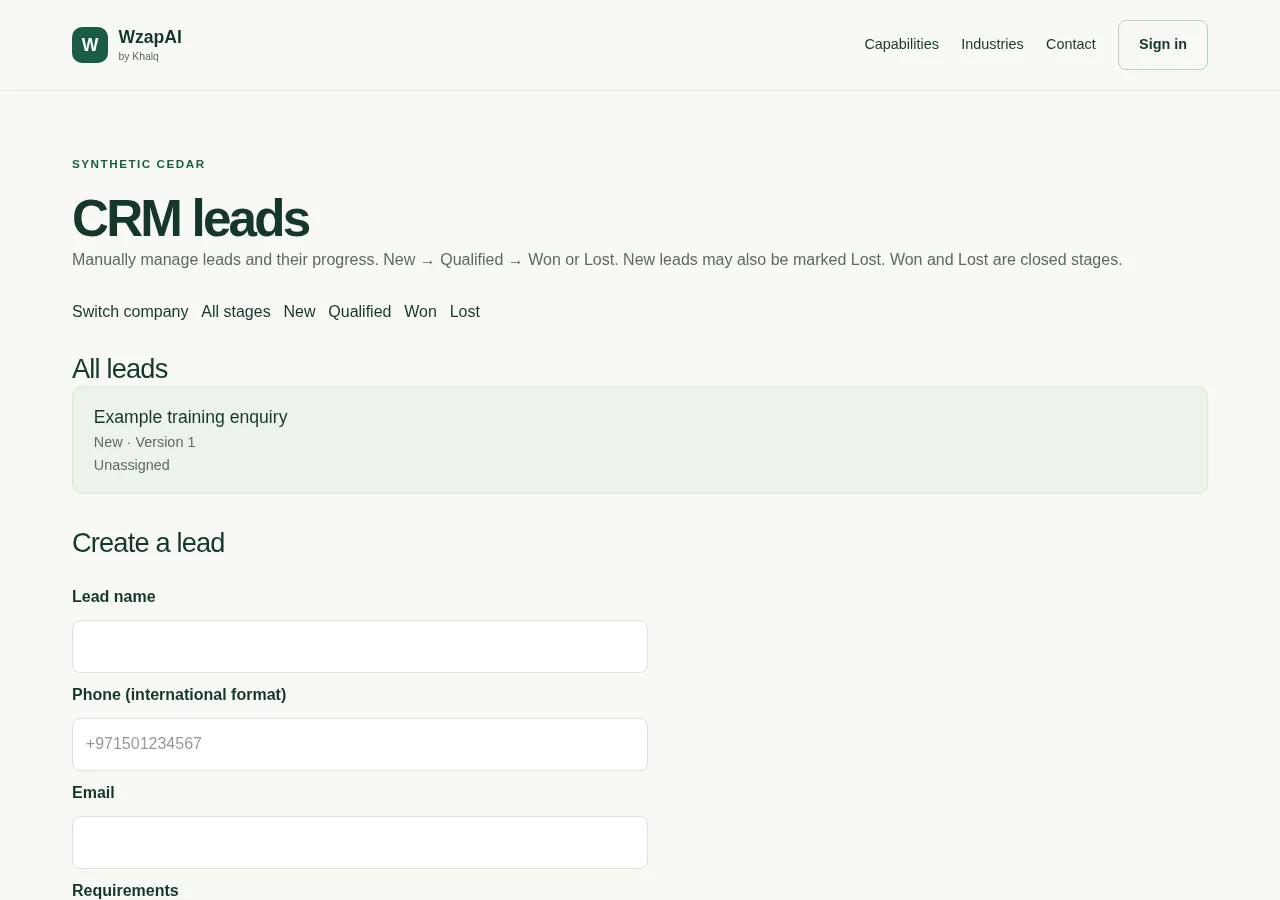
  • Manual leads with New, Qualified, Won and Lost stages
  • Owner and manager assignment to active company staff
  • Automatic capture, routing and follow-ups remain planned
Actual CRM screen showing a synthetic training enquiry in the New stage and the manual lead form
Actual development screen · synthetic data
04

AI agents

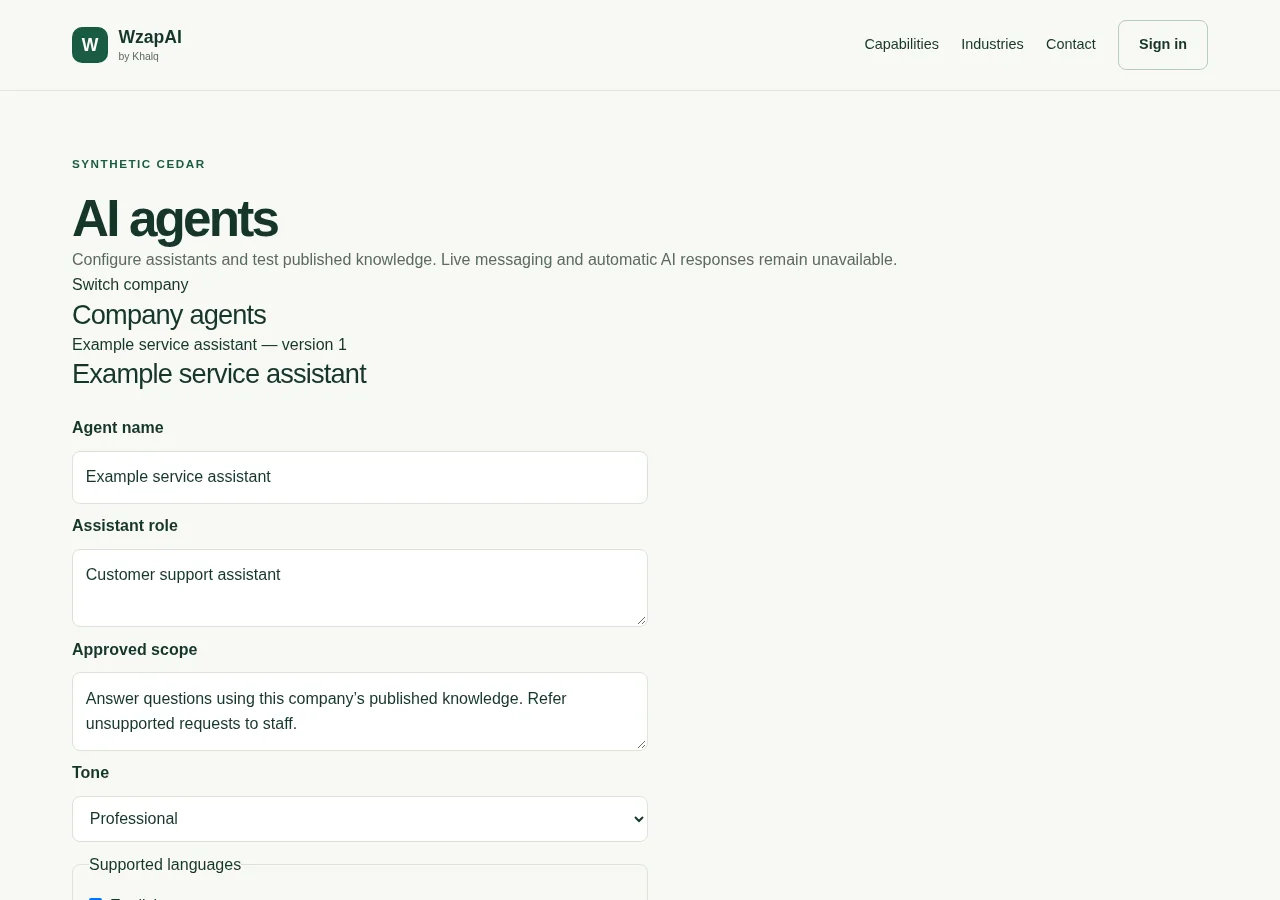
Shape an assistant’s role, knowledge and boundaries around your services. Review controlled previews before introducing live AI.

Controlled preview
See scope and availability
  • Company agent configuration and published knowledge context
  • Controlled previews with sources and request limits
  • Live AI calls and automatic customer replies are not enabled
Actual assistant configuration screen showing role, approved scope and tone fields with synthetic settings
Actual development screen · synthetic data
05

Company & team

Keep company details, staff invitations and role permissions together. Company access and platform administration stay separate.

Sign-in pending
See scope and availability
  • Company profiles, company selection and verified onboarding
  • Owner-managed invitations and staff roles
  • Sign-in and operator access await configuration and validation

Illustrative workflow · not a live connection

A clear role for every responsibility.

  1. 01Owners manage staff access
  2. 02Owners and managers publish knowledge
  3. 03Permitted staff work with manual leads
06

Connected next steps

Start with WhatsApp setup guidance and verified ownership. Workflows, bookings and external tool connections follow as planned milestones.

Connections planned
See scope and availability
  • Operator-led setup for Meta test accounts
  • The Khalq Ops connection foundation covers text, delivery status and reviewed replies; live activation remains unavailable
  • Live WhatsApp, workflows, bookings and external CRM connections remain unavailable

Illustrative workflow · not a live connection

Prepare a connection with clear checks.

  1. 01Confirm company and number ownership
  2. 02Configure protected provider access
  3. 03Complete controlled live acceptance

Start with your business

What could your next
conversation make possible?

Bring your enquiries, approved service information and team workflow. Let’s explore the right next step together.

WhatsApp sales